Polytranslator vs DeepL for document translation: which keeps your layout, and in which languages

Maxim Enis · co-creator of Polytranslator · author of From LLM to NMT (125+ citations)Updated September 16, 2026
Both tools translate Office files and digital or scanned PDFs with formatting preservation. Polytranslator supports 475 languages; DeepL advertises over 100 for document translation. Polytranslator also accepts photographs of pages and shows the credit cost before you translate. Document support and limits below were checked against vendor documentation on September 16, 2026.
File types in
Polytranslator: PDF, DOCX, PPTX, XLSX, EPUB, and photographed pages (PNG, JPG, WebP, HEIC)
DeepL: PDF, DOCX, PPTX, XLSX, HTML, SRT, TXT (per DeepL's feature page)
Google Translate: DOCX, PDF, PPTX, XLSX, up to 10 MB; PDFs up to 300 pages
Scanned pages and photos
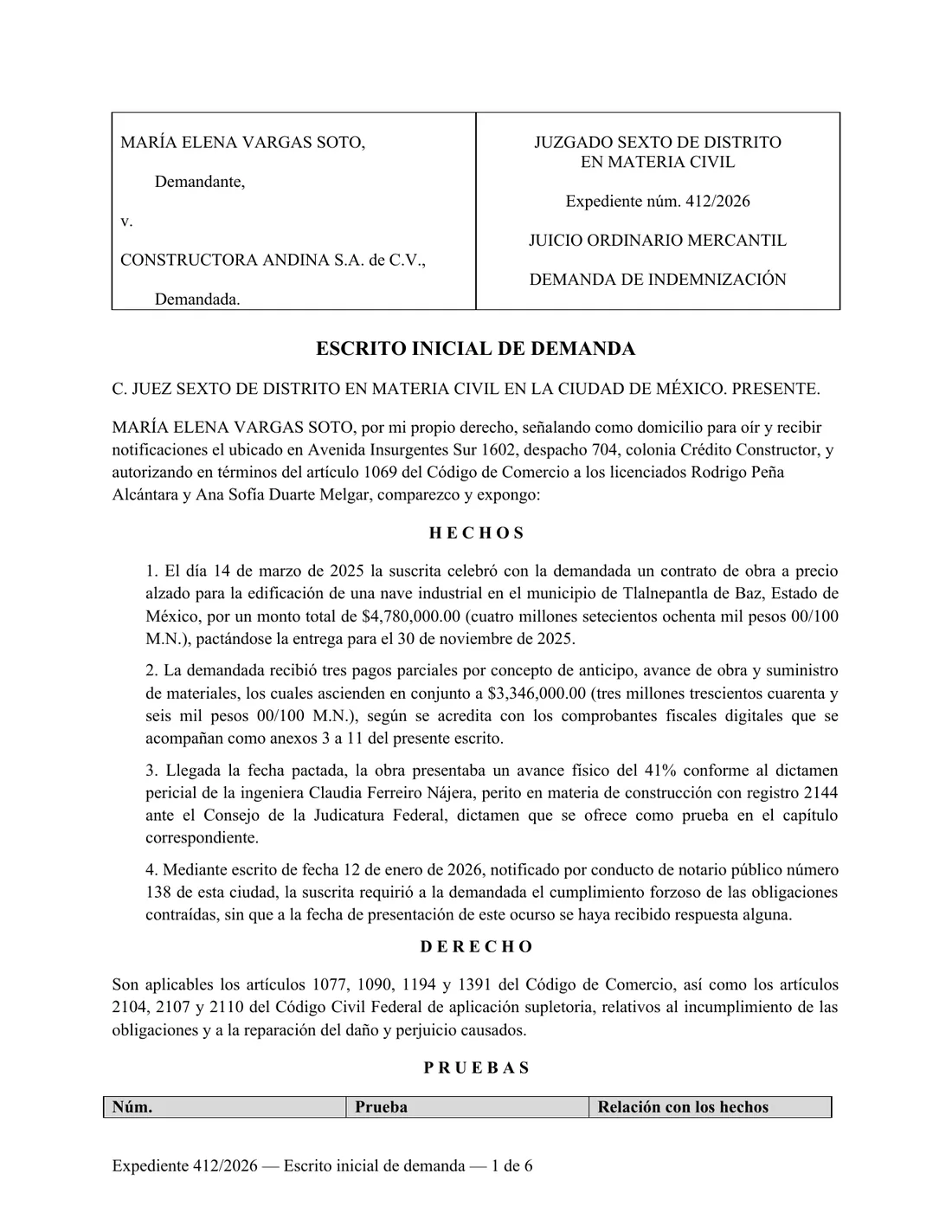
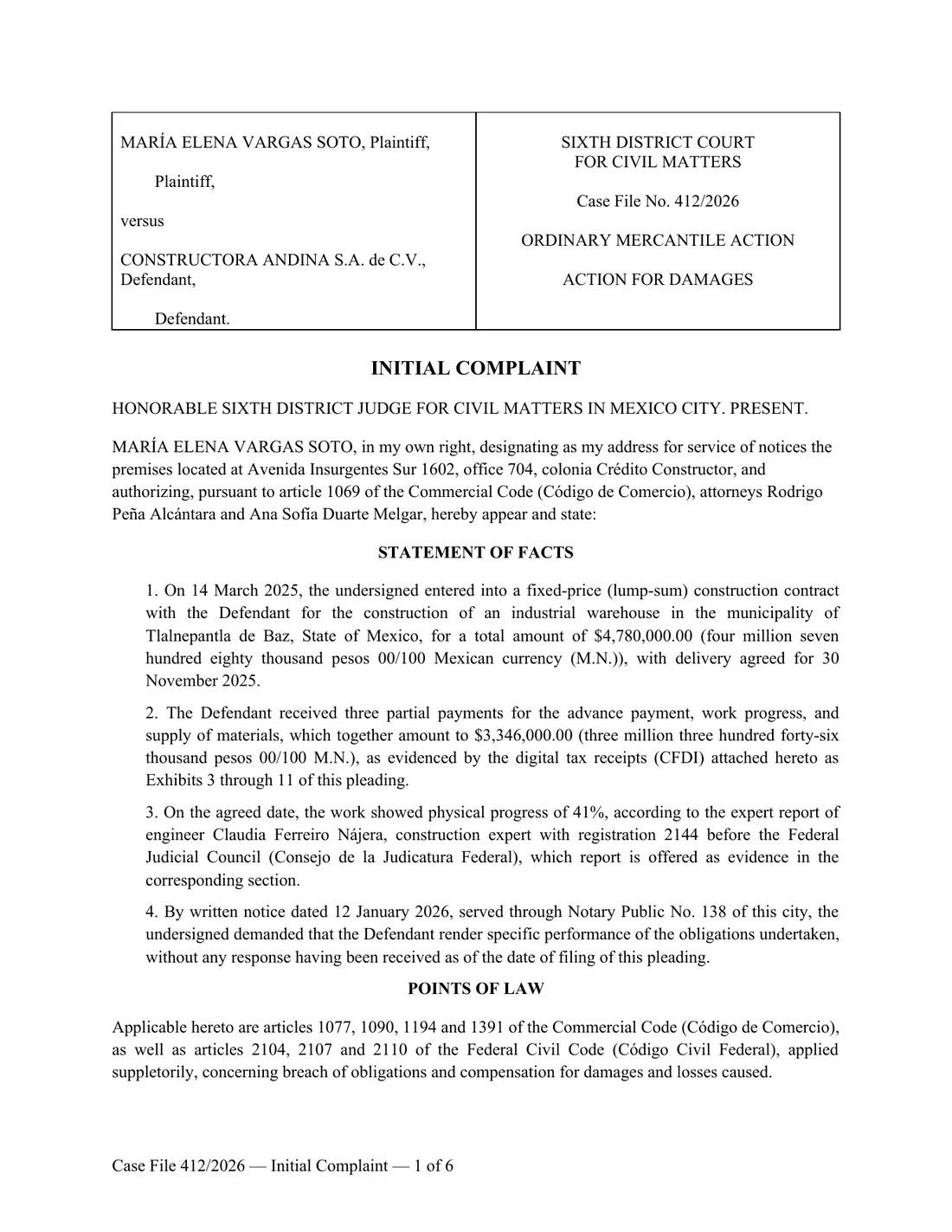
Polytranslator: Read with OCR and translated in place: the translated text is drawn back onto the page, so a certificate or a photographed poster comes back looking like the original
DeepL: Scanned PDFs supported; scan quality, custom fonts and large images can affect the result
Google Translate: Text in images and scanned PDF pages is not translated by document upload
Layout on DOCX, PPTX, XLSX
Polytranslator: Kept: styles, tables, headers and footers, footnotes, images stay in the file; text length changes, so long translations can reflow
DeepL: Kept. DeepL advises translating the original Office file rather than a PDF made from it
Google Translate: Kept on simple files; style loss on complex ones
Layout on PDF
Polytranslator: Kept: text is placed back into the original page, including multi-column and tabular pages. Fonts may be substituted where the original is not embedded
DeepL: Formatting preservation for digital and scanned PDFs; review complex layouts and low-quality scans
Google Translate: Reflowed; tables and columns are the usual casualties
Languages
Polytranslator: 475, including ancient, historical, indigenous, constructed languages and dialects translated as themselves
DeepL: 100+ advertised for document translation; check the current language list for your pair
Google Translate: About 250, modern languages plus Latin and Sanskrit
Document translator output
Polytranslator: A translated file with the layout preserved. The credit cost is shown before you translate
DeepL: One translated file per job
Google Translate: One translated file per job
Upload limits
Polytranslator: 20 MB on Free; 50 MB on Pro and Scholar. Free and Pro allow 100,000 extracted characters; Scholar allows 1,000,000
DeepL: Varies by plan; see DeepL’s help centre
Google Translate: 10 MB; 300 pages for PDF; not available on mobile
Price
Polytranslator: Free daily credits without an account; Pro $19.99/mo; Scholar $79.99/mo; credit packs for one-off documents
DeepL: Free tier with file limits; DeepL Pro from a monthly subscription
Google Translate: Free
Translated file kept
Polytranslator: Available online for 30 days after the job
DeepL: Per DeepL’s plan terms
Google Translate: Download at translation time
Sources: DeepL's document translation and PDF support pages; Google's translate documents help page. Read on September 16, 2026.
Try it on a scan
Upload a photographed page or a PDF and get a translated file with the layout preserved. The cost is shown before you translate.
Open the document translatorUse DeepL when…
You are already working inside DeepL, with its glossaries and team features, and it supports your language pair and file format. DeepL handles Office files and scanned or digital PDFs. If a PDF result is unsatisfactory, its support guidance suggests trying the original editable file. That is useful advice for Polytranslator too.
Use Polytranslator when…
The document exists only as a scan or a photo: a birth certificate, a court filing, a parish register, a poster, a page of a manual photographed on a phone. Polytranslator reads the page, translates it, and draws the translation back where the source text was, so the result can be shared, filed or compared line by line with the original. It also covers ancient, historical and rare languages, including Ancient Greek, Old English, Coptic, Old Norse, Akkadian, Aramaic and Navajo. Check the specific language you need among its 475 languages.
What “keeps the layout” means here
For Office files and EPUB, the text inside the file is replaced and everything else, styles, tables, images, footnotes, headers, is left alone. For PDFs and images, each page is read as a page: the engine finds every block of text, translates the blocks with the whole document as context so terminology stays consistent, erases the original ink and typesets the translation into the same place, in a matching size and colour. Where a translation is longer than the space it replaces, it first shrinks within a readable range, then grows into clear paper beside the block, and only then is allowed to spill. Nothing is shortened or paraphrased to make it fit.
Our limits, stated plainly
- Handwriting, faint photocopies and very low-resolution photos are the weakest inputs. The OCR step sees less, so less is translated; the untouched parts stay as they were rather than being invented.
- Numbers, names and identifiers on certificates and court filings must be checked against the original before the document is used. This is true of every machine translation and it is the one check we would never skip.
- Text grows or shrinks in translation. A German paragraph is longer than its English source; a bubble sized for three Japanese characters is narrow for an English word. The engine fits text into the space it has, then grows into clear space beside it, and only then lets a word spill.
- Fonts that are not embedded in the source are substituted with the closest available face. Scripts without a matching font are refused rather than drawn as boxes.
- A translated document is not a certified translation. Courts and immigration authorities require a human certification statement, which no machine service provides on its own.
How we measure it
Every release of the document engine is scored on an internal benchmark of real uploads for accuracy, completeness and layout fidelity, judged page by page against the original. In the most recent audit of 84 completed jobs drawn from production, layout fidelity averaged 4.5 out of 5, and 4.7 on PDF and Word documents; the weak inputs were handwriting and low-resolution scans, not typeset pages. A public comparison against DeepL, Google and the layout-first PDF tools on the same files, with the inputs and outputs downloadable, is in preparation and will be linked from this page when it is published.
Can you use both?
Some people do: DeepL inside a team workflow they already have, Polytranslator for the scans, the photos, the hardest texts and languages they need beyond their existing tool. Use your free daily credits to try a page on the document translator and judge the result against your original.